Microsoft Dynamics 365 Sales Enterprise Edition Device – CFQ7TTC0LFF1:0006
Dell Latitude 7480 Charger – AC Power Adapter

Microsoft Dynamics 365 Team Members – CFQ7TTC0LFNJ:0001
Microsoft Dynamics 365 Team Members (CFQ7TTC0LFNJ:0001) is a named-user subscription designed for employees who need lightweight access to Dynamics 365 business applications without requiring the full capabilities of an enterprise application license. It provides designated Team Member experiences for scenarios such as viewing business information, performing basic tasks, updating records within permitted use rights, and accessing relevant customer-service, sales, and project information.
Description
Microsoft Dynamics 365 Team Members is a lightweight, named-user licensing option designed for employees who need to interact with Dynamics 365 data and perform basic business tasks but do not require the complete functionality provided by full Dynamics 365 application licenses.
Product SKU: CFQ7TTC0LFNJ:0001
The Team Members license is intended for users whose roles may span different business functions and who primarily need limited access to business information, reports, and designated tasks. Microsoft specifically describes it as being intended for users who need basic functionality from line-of-business systems without requiring full user capabilities.
Key Features
- Named-user subscription
- Lightweight Dynamics 365 access
- Designed for users who do not require full application licenses
- Access to designated Team Member experiences
- Sales Team Member experience
- Customer Service Team Member experience
- Project Resource Hub
- Access to relevant Dynamics 365 business information
- Basic business-data interaction within permitted scenarios
- Support for common self-service and information-access scenarios
- Integration with the Dynamics 365 business application ecosystem
- Customization of Team Member apps within applicable licensing limits
- Suitable for organizations with large numbers of light-use users
Named-User Licensing
Unlike a device-based license, Dynamics 365 Team Members is a named-user subscription. It is assigned to individual users who require lightweight access to Dynamics 365.
This makes it suitable for employees who may need to access customer, sales, service, project, or other business information but whose daily responsibilities do not justify a full Dynamics 365 Sales, Customer Service, or other enterprise application license.
Microsoft states that the Team Members license is intended for users who need basic functionality and provides lightweight access through designated scenarios.
Sales Team Member
For sales-related users, the Team Members experience provides a more limited environment than a full Dynamics 365 Sales license.
It can be appropriate for employees who need to interact with sales information without requiring the full sales automation capabilities available to licensed Dynamics 365 Sales users.
Potential users can include employees who need access to customer information, sales-related records, dashboards, or other permitted business scenarios.
Customer Service Team Member
Dynamics 365 Team Members also provides a designated Customer Service Team Member experience.
This can support users who need limited access to customer-service information or specific customer-service tasks but do not require the full Dynamics 365 Customer Service application.
For example, organizations may use Team Members licensing for employees who need visibility into customer information while specialized customer-service agents use full application licenses.
Project Resource Hub
The Team Members experience also includes the Project Resource Hub, providing a designated environment for applicable project-related activities.
This can be useful for employees who participate in project operations but do not require a full Dynamics 365 Project Operations license.
Lightweight Access to Business Information
One of the main advantages of the Team Members license is providing employees with access to relevant business information without licensing every employee for the full Dynamics 365 application.
Users may need to:
- View customer information
- Review business records
- Access reports and dashboards
- Perform permitted basic updates
- Enter or review information
- Participate in designated sales scenarios
- Participate in designated customer-service scenarios
- Access permitted project-related information
The exact rights depend on the applicable Microsoft licensing terms and the user’s assigned Team Member experience.
Designed for Light-Use Employees
Many organizations have employees who interact with business applications only occasionally.
For example, an employee might need to:
- Review a customer record
- Check sales information
- Update permitted information
- Review a service case
- Access a project-related record
- View reports
- Perform basic administrative activities
For these users, purchasing a full enterprise application license may provide capabilities they do not actually need.
Dynamics 365 Team Members is designed for this type of lightweight usage.
Business Benefits
Cost-Efficient User Licensing
Team Members can help organizations license employees according to their actual requirements rather than assigning full application licenses to every user.
Simplified Access
Employees receive a designated Team Member experience tailored to the lightweight scenarios supported by their license.
Broader Organizational Adoption
Organizations can extend appropriate Dynamics 365 access to more employees, including users who only need limited interaction with CRM and business data.
Centralized Business Information
Users can work with permitted Dynamics 365 information from designated Team Member applications.
Flexible Workforce Support
The named-user model can support employees across departments who need occasional access to Dynamics 365 information.
Team Member Applications
Microsoft identifies three primary Team Member experiences for customer-engagement applications:
| Team Member Experience | Intended Scenario |
|---|---|
| Sales Team Member | Lightweight access to sales-related information and activities |
| Customer Service Team Member | Lightweight customer-service scenarios |
| Project Resource Hub | Applicable project/resource scenarios |
These designated experiences are part of Microsoft’s Team Members licensing model.
Customization
Team Member applications can be customized to better align with an organization’s terminology, industry, and business processes.
However, Microsoft places licensing-related restrictions on these customizations. The Team Member app can contain up to 15 entities, and customization must remain within the use rights specified in Microsoft’s licensing documentation.
This provides organizations with some flexibility while maintaining the intended lightweight nature of the license.
Important Licensing Restrictions
The Team Members license is not equivalent to a full Dynamics 365 application license.
Microsoft states that Team Members users receive access through designated Team Member applications and that the subscription does not provide access to custom applications outside the intended licensing scenarios.
Organizations should therefore avoid presenting this product as providing unrestricted access to Dynamics 365 Sales, Customer Service, or other full applications.
If a user requires capabilities beyond the Team Member use rights, Microsoft recommends evaluating whether a more comprehensive Dynamics 365 license is appropriate.
Typical Users
Dynamics 365 Team Members can be suitable for:
- Employees requiring occasional CRM access
- Sales support personnel
- Customer service support staff
- Project participants
- Administrative employees
- Managers requiring limited information access
- Employees who primarily consume reports or business information
- Light-use Dynamics 365 users
- Organizations with large numbers of users requiring limited functionality
Typical Business Scenarios
Sales Support
Employees can access designated sales information without requiring the complete Dynamics 365 Sales application.
Customer Service Support
Staff who need limited customer-service information can use the Customer Service Team Member experience.
Project Participation
Employees participating in projects can use the Project Resource Hub for applicable scenarios.
Management & Reporting
Users who primarily need to review business information and reports may be appropriate candidates for Team Member licensing.
Cross-Department Access
Organizations can provide lightweight Dynamics 365 access to employees whose primary role is outside the core CRM function.
Security and Administration
Dynamics 365 Team Members operates within Microsoft’s Dynamics 365 security and application framework.
Administrators can assign the license to named users and configure appropriate security roles and access.
Microsoft notes that Team Member security roles can be customized, but organizations should ensure that any changes remain compliant with the applicable Team Member licensing rights.
Technical & Licensing Information
| Specification | Details |
|---|---|
| Product | Microsoft Dynamics 365 Team Members |
| SKU | CFQ7TTC0LFNJ:0001 |
| Brand | Microsoft |
| Product Family | Dynamics 365 |
| License Type | Named User Subscription |
| Access Level | Lightweight / Team Member |
| Sales Experience | Sales Team Member |
| Customer Service Experience | Customer Service Team Member |
| Project Experience | Project Resource Hub |
| Primary Purpose | Limited business application access |
| Target Users | Light-use / occasional Dynamics 365 users |
| Custom Apps | Not included under Team Member entitlement |
| Customization | Supported within Team Member use rights |
| Entity Limit | Up to 15 entities in a Team Member app |
| Full Dynamics 365 Sales Access | Not included |
| Full Dynamics 365 Customer Service Access | Not included |
| Deployment | Cloud-based Dynamics 365 service |
The specific rights and restrictions should always be verified against Microsoft’s current Dynamics 365 Licensing Guide and Product Terms before purchase or deployment.
Who Should Choose Dynamics 365 Team Members?
This license is particularly appropriate when an organization has users who need Dynamics 365 information but do not need the complete capabilities of a full Dynamics 365 application.
For example, a company may have a small group of full Sales Enterprise users responsible for managing opportunities and sales processes, while a larger group of employees only needs to review or perform permitted lightweight activities. Team Members licensing can provide the latter group with an appropriately scoped Dynamics 365 experience.
Product Summary
Microsoft Dynamics 365 Team Members – CFQ7TTC0LFNJ:0001 provides a practical licensing option for organizations that need to extend limited Dynamics 365 access to a broader workforce.
As a named-user subscription, it is designed for employees who require lightweight access to designated Dynamics 365 experiences rather than the complete capabilities of a full enterprise application. Supported experiences include Sales Team Member, Customer Service Team Member, and Project Resource Hub.
Its lightweight licensing model can help organizations provide appropriate business-data access while avoiding the need to assign full Dynamics 365 application licenses to users whose responsibilities do not require them.
Product Category: Software → Business Applications → CRM & ERP → User Access Licenses
Brand: Microsoft
Product: Dynamics 365 Team Members
SKU: CFQ7TTC0LFNJ:0001
License Type: Named-User Subscription
Access Level: Lightweight / Team Member
Primary Use: Limited Dynamics 365 Business Application Access
Best For: Employees, Support Staff, Project Participants & Light-Use CRM Users
Related products
-

Juniper JS-PLT-SING Junos Space Platform Single Node
Read more
Juniper JS-PLT-SING – Junos Space Platform Single Node License is a software licensing SKU for deploying the Junos Space Platform as a single-node installation. It is intended for standalone Junos Space environments and must not be used for High Availability (HA) deployments.
Quick View -
Microsoft Dynamics 365 Team Members – EMJ-00058
Read more
Microsoft Dynamics 365 Team Members – EMJ-00058 is a user-based license designed for employees who need lightweight access to Dynamics 365 business applications rather than the full capabilities of dedicated Sales or Customer Service licenses. It is suitable for users who primarily need to view information, update records, perform basic tasks, and collaborate across Dynamics 365 environments.
Quick View -
Microsoft Dynamics 365 Sales – ENJ-00058
Read more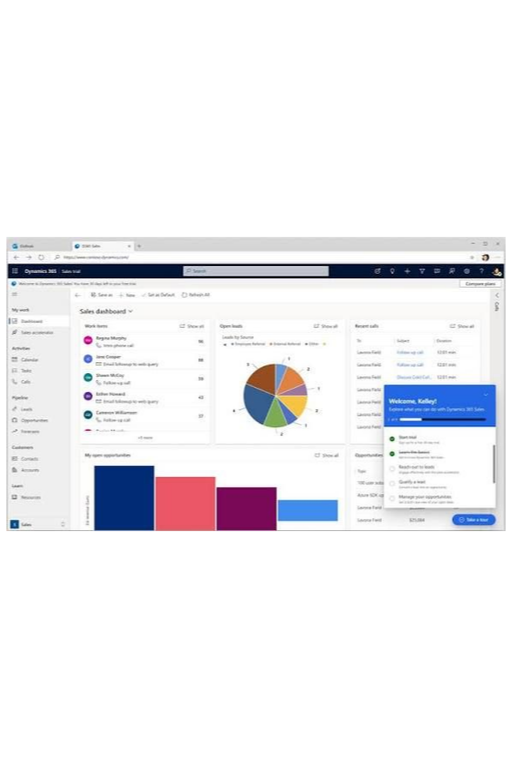
Microsoft Dynamics 365 Sales – ENJ-00058 is a professional user-based CRM license designed for sales professionals who need to manage leads, opportunities, accounts, contacts, activities, and customer relationships through Microsoft Dynamics 365 Sales. It helps sales teams organize the sales cycle, improve pipeline visibility, and manage customer engagement from a centralized platform.
Quick View -
Microsoft Dynamics 365 Customer Service Enterprise Device – CFQ7TTC0LFDZ:0006
Read more
Microsoft Dynamics 365 Customer Service Enterprise Device (CFQ7TTC0LFDZ:0006) is a full-access device-based license for organizations using Dynamics 365 Customer Service on a shared or dedicated device. It provides the same core rights as the equivalent Customer Service Enterprise user license, while access is restricted to the licensed device. The solution supports advanced customer service operations including case management, knowledge management, service workflows, and customer-support productivity.
Quick View