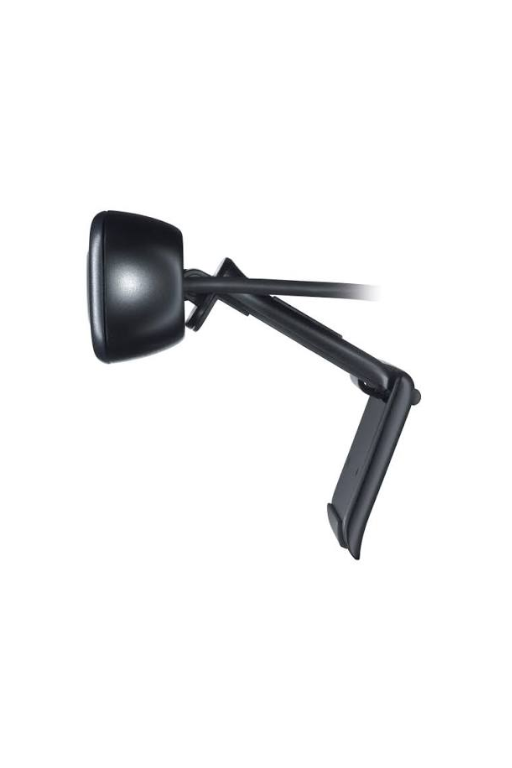
Logitech C310 HD Webcam
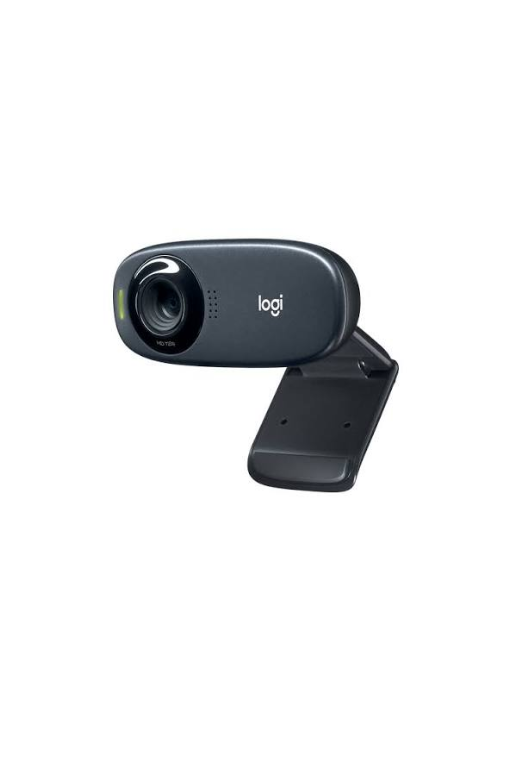
Logitech C310 HD Webcam delivers clear 720p HD video and reliable audio for video calls, online meetings, remote learning, and everyday communication. With automatic light correction, a built-in noise-reducing microphone, and broad compatibility with popular calling applications, the C310 is a practical and affordable webcam for home and office use.
Description
The Logitech C310 HD Webcam is a compact and dependable webcam designed for everyday video communication. It provides 720p HD video at up to 30 frames per second, helping users stay clearly visible during video calls, online meetings, remote classes, and personal conversations.
With automatic light correction and a built-in noise-reducing microphone, the C310 is designed to provide a more consistent video and audio experience even when lighting or background conditions are less than ideal. Its compact design and universal clip make it easy to attach to a compatible monitor, laptop, or other display.
Key Features
- 720p HD Video: Provides clear HD-quality video at up to 30 fps for video calls and online communication.
- Automatic Light Correction: Helps adjust the image for improved visibility in changing or low-light conditions.
- Built-In Microphone: Integrated microphone captures voice without requiring a separate headset or external microphone.
- Noise Reduction: Helps reduce background noise to provide clearer voice communication.
- Universal Mounting Clip: Securely attaches the webcam to compatible laptops, monitors, and displays.
- Compact Design: Small footprint makes it convenient for home offices, workstations, classrooms, and mobile setups.
- Plug-and-Play Convenience: Designed for straightforward setup with compatible computers and supported operating systems.
- Wide Application Compatibility: Suitable for video conferencing, online classes, teleworking, streaming, and personal video calls.
Video Performance
The Logitech C310 captures video at 720p HD resolution with up to 30 frames per second, providing a significant improvement over standard-definition webcams. This makes it suitable for everyday video conferencing and communication where clear, reliable video is important without requiring a high-end professional camera.
The webcam’s automatic light correction helps compensate for variable lighting conditions, making it easier to maintain a usable image when working near windows or in rooms with uneven illumination.
Audio
The integrated microphone provides convenient voice capture without the need for an additional microphone. Its noise-reduction capability helps minimize unwanted background sounds, making conversations easier to hear during online meetings and calls.
Easy Installation and Mounting
The C310 features a practical universal mounting clip that allows it to be positioned on a compatible laptop screen or monitor. Its compact construction makes it an unobtrusive addition to a workstation while allowing users to position the camera at a suitable viewing angle.
Technical Specifications
| Specification | Details |
|---|---|
| Product | Logitech C310 HD Webcam |
| Model | C310 |
| Video Resolution | Up to 720p HD |
| Frame Rate | Up to 30 fps |
| Microphone | Built-in noise-reducing microphone |
| Light Correction | Automatic |
| Mounting | Universal clip |
| Connection | USB |
| Use Cases | Video calls, conferencing, online learning, remote work |
| Design | Compact webcam |
Ideal Applications
The Logitech C310 is suitable for:
- Home offices
- Business video conferencing
- Remote work
- Online classes and distance learning
- Virtual meetings
- Personal video calls
- Telemedicine and remote consultations
- General desktop communication
- Laptop and monitor-based workstations
Why Choose the Logitech C310?
The Logitech C310 is a practical choice for users who need dependable HD video communication without the complexity or cost of a professional conferencing camera. Its 720p video, automatic light correction, integrated noise-reducing microphone, and convenient mounting design make it well suited to everyday communication in both home and professional environments.
Note: Video quality and supported features can vary depending on the operating system, computer hardware, application, USB connection, and available bandwidth.
Related products
-

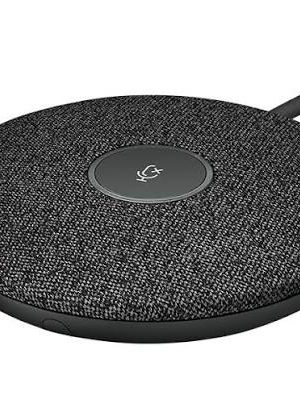
Logitech Rally Mic Pod 989-000430 – Graphite
Read more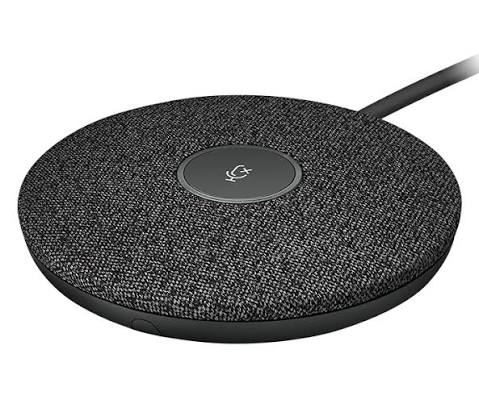
Logitech Rally Mic Pod 989-000430 – Graphite
The Logitech Rally Mic Pod 989-000430 is a professional modular microphone designed to extend and enhance audio coverage in modern video conferencing environments. Finished in Graphite, this compact microphone pod is engineered for use with compatible Logitech Rally, Rally Bar, and Rally Bar Mini conferencing systems.
With four omnidirectional microphones arranged to create eight acoustic beams, the Rally Mic Pod is designed to capture speech from meeting participants while advanced audio processing helps reduce unwanted noise and acoustic echo. Its 15 ft (4.5 m) pickup range makes it well suited to conference tables and larger meeting-room environments.
The Rally Mic Pod can be used as an additional microphone to expand the coverage of a compatible conferencing system, and multiple Mic Pods can be daisy-chained or connected through a Rally Mic Pod Hub. This makes it a flexible solution for organizations that need to adapt microphone coverage to different room sizes and layouts.
Key Features
- Brand: Logitech
- Part Number: 989-000430
- Product: Rally Mic Pod
- Color: Graphite
- Product Type: Modular Conference Microphone
- Compatible Systems: Logitech Rally, Rally Bar, Rally Bar Mini
- Microphone Elements: 4 omnidirectional microphones
- Acoustic Beams: 8
- Pickup Range: Up to 15 ft / 4.5 m
- Frequency Response: 90 Hz – 16 kHz
- Microphone Data Rate: 48 kHz
- Audio Processing: Acoustic Echo Cancellation (AEC), Voice Activity Detection (VAD), AI noise suppression
- Connection: 12-pin captive cable
- Cable Length: 9.6 ft / 2.95 m
- Daisy-Chaining: Supported
- Device Management: Logitech Sync
- Warranty: 2-Year Limited Hardware Warranty
Clear, Natural Conference Audio
The Rally Mic Pod is designed to help meeting participants be heard clearly without requiring them to sit directly beside the primary conferencing system.
Logitech’s microphone architecture uses four omnidirectional microphone elements to form eight acoustic beams, allowing the system to focus on speech from different positions around the meeting table.
This makes the Rally Mic Pod particularly useful for conference rooms where participants may be seated at different distances and positions from the main conferencing equipment.
RightSound Audio Technology
The Rally Mic Pod incorporates Logitech RightSound technologies designed to improve the quality and consistency of conversations.
Its audio-processing features include:
- Acoustic Echo Cancellation (AEC)
- Voice Activity Detection (VAD)
- AI-based noise suppression
These technologies work together to help reduce unwanted background sounds, control acoustic echo, and improve the intelligibility of spoken conversations.
15-Foot Pickup Range
The microphone provides a specified pickup range of 15 feet / 4.5 meters.
This makes it suitable for conference-table deployments where participants need to communicate naturally without leaning toward the microphone.
For larger meeting rooms, additional Rally Mic Pods can be deployed to extend microphone coverage throughout the room.
Modular and Expandable Design
One of the key advantages of the Rally Mic Pod is its modular design.
The microphone can be connected to another Rally Mic Pod using its 12-pin interface, allowing multiple pods to be daisy-chained. It can also be connected to a Rally Mic Pod Hub for expanded installations.
This makes the 989-000430 a practical choice for organizations that need to expand an existing conferencing installation rather than replace the entire system.
Built for Professional Meeting Rooms
The low-profile design and compact dimensions allow the Rally Mic Pod to sit naturally on a conference table.
It measures:
- Height: 21 mm / 0.83 in
- Width: 102 mm / 4.02 in
- Depth: 102 mm / 4.02 in
Its compact footprint helps minimize interference with documents, laptops, displays, and other items commonly found on conference tables.
Long Integrated Cable
The Rally Mic Pod includes a 9.6 ft (2.95 m) 12-pin captive cable, providing flexibility when positioning the microphone relative to the conferencing system or another Mic Pod.
The 12-pin interface can also be used for daisy-chaining additional Mic Pods or connecting to the Rally Mic Pod Hub.
Logitech Sync Management
The Rally Mic Pod supports Logitech Sync, Logitech’s device-management platform.
For organizations managing multiple meeting rooms, centralized device-management capabilities can help simplify monitoring and administration of compatible Logitech conferencing equipment.
Professional Applications
The Logitech 989-000430 is suitable for a variety of professional environments, including:
- Corporate conference rooms
- Executive boardrooms
- Large meeting rooms
- Hybrid-work spaces
- Training rooms
- Collaboration rooms
- Educational facilities
- Enterprise video conferencing environments
- Meeting rooms using Logitech Rally systems
It is especially useful when additional microphone coverage is required across a larger conference table or meeting area.
Compatibility
The Logitech Rally Mic Pod is designed for compatible:
- Logitech Rally
- Logitech Rally Bar
- Logitech Rally Bar Mini
The microphone can also be used with compatible Rally accessories such as the Rally Mic Pod Hub, Rally Mic Pod Mount, and Rally Mic Pod Extension Cable.
Important: This product is an additional microphone accessory and is not a standalone video conferencing system.
Technical Specifications
Specification Details Brand Logitech Part Number 989-000430 Product Rally Mic Pod Color Graphite Product Type Modular Conference Microphone Microphone Type Omnidirectional Microphone Elements 4 Acoustic Beams 8 Pickup Range 15 ft / 4.5 m Frequency Response 90 Hz – 16 kHz Sensitivity > -27 dB ±1 dB @ 1 Pa Microphone Data Rate 48 kHz Audio Processing AEC, VAD, AI Noise Suppression Output Cable 12-pin captive cable Cable Length 9.6 ft / 2.95 m Input Interface 12-pin Daisy-Chain Support Yes Management Platform Logitech Sync Height 21 mm / 0.83 in Width 102 mm / 4.02 in Depth 102 mm / 4.02 in Warranty 2-Year Limited Hardware Warranty What’s Included
The Logitech 989-000430 package contains:
- 1 × Logitech Rally Mic Pod
- Documentation
The integrated 12-pin cable is attached to the microphone and is included as part of the unit.
Expansion Accessories
For installations requiring additional flexibility, Logitech identifies several compatible accessories:
- Rally Mic Pod Hub
- Rally Mic Pod Mount
- Rally Mic Pod Extension Cable
These accessories can help adapt the microphone system to different conference-room layouts and installation requirements.
Why Choose the Logitech Rally Mic Pod?
Expanded Microphone Coverage
Extend the audio coverage of a compatible Rally conferencing system.
Eight Acoustic Beams
Four omnidirectional microphones create eight acoustic beams for effective speech capture.
4.5-Meter Pickup Range
Provides a generous specified pickup range for conference-room environments.
Advanced Audio Processing
AEC, VAD, and AI noise suppression help produce cleaner, more intelligible conversations.
Modular Installation
Daisy-chain additional Mic Pods or connect through a Rally Mic Pod Hub.
Compact Design
The low-profile 21 mm height minimizes the microphone’s visual and physical footprint on the conference table.
Enterprise Management
Supports management through Logitech Sync.
Product Summary
The Logitech Rally Mic Pod 989-000430 is a professional Graphite modular conference microphone designed to expand audio coverage for compatible Logitech Rally conferencing systems.
Featuring four omnidirectional microphone elements, eight acoustic beams, a 15 ft / 4.5 m pickup range, 48 kHz microphone output, Acoustic Echo Cancellation, Voice Activity Detection, and AI-based noise suppression, it provides a flexible solution for clear voice capture in professional meeting environments.
Its modular 12-pin connectivity allows additional Mic Pods to be daisy-chained or connected through a Rally Mic Pod Hub, making the 989-000430 well suited for large conference rooms, boardrooms, enterprise collaboration spaces, and expandable Logitech Rally deployments.
Brand: Logitech
Part Number: 989-000430
Product: Rally Mic Pod
Color: Graphite
Compatible With: Rally, Rally Bar, Rally Bar Mini
Microphones: 4 omnidirectional elements
Acoustic Beams: 8
Pickup Range: 15 ft / 4.5 m
Connection: 12-pin
Cable Length: 2.95 m / 9.6 ft
Warranty: 2-Year Limited Hardware WarrantyQuick View -

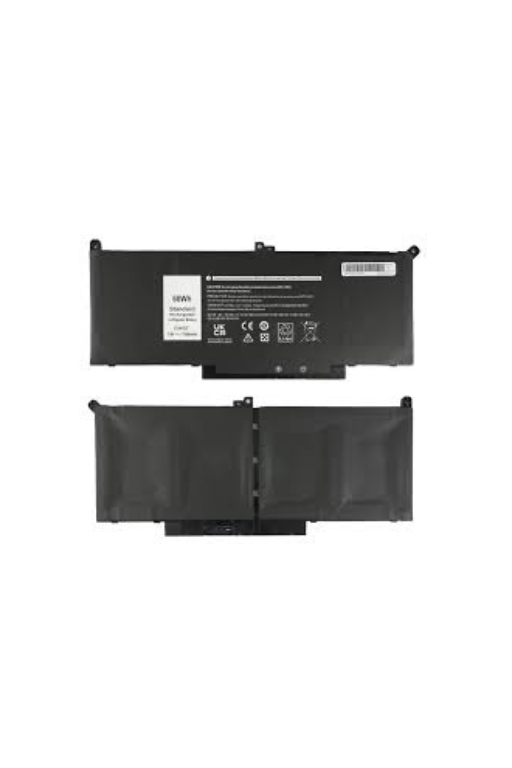
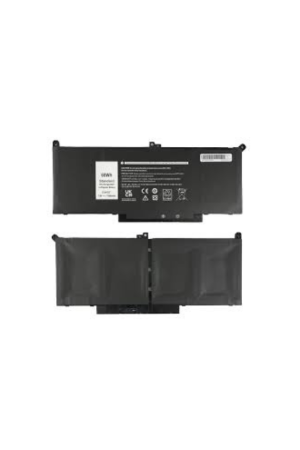
Dell Latitude 7480 Replacement Battery
Read more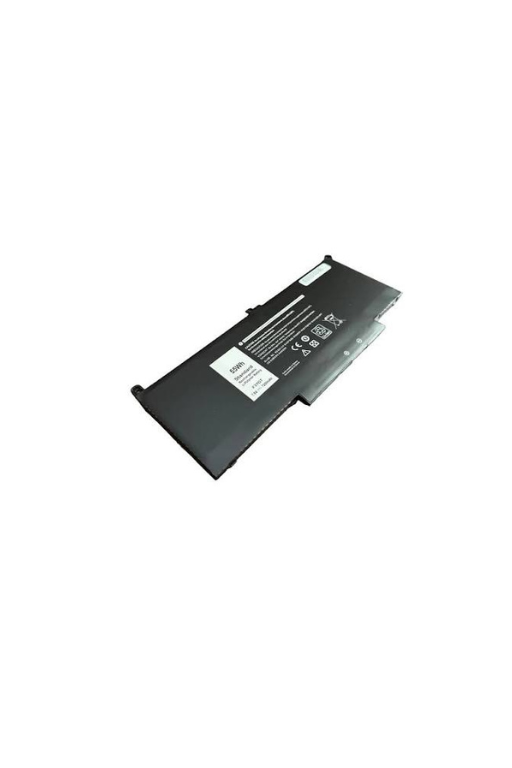
Dell Latitude 7480 Battery is a replacement rechargeable battery designed for compatible Dell Latitude 7480 laptops. Dell specifies two battery configurations for the Latitude 7480: a 3-cell 42 Wh battery rated at 11.4 VDC and a 4-cell 60 Wh battery rated at 7.6 VDC, both featuring ExpressCharge support. This replacement is ideal for restoring portable runtime and replacing a worn or degraded original battery.
Quick View -


Dell-Inspiron 7730-Laptop / Notebook
Read more

The Dell Inspiron 7730 is a versatile 17-inch-class performance laptop designed for productivity, entertainment, multitasking, and everyday professional use. With a large high-resolution display, modern Intel processor options, fast SSD storage, DDR5 memory, integrated or dedicated graphics depending on configuration, and comprehensive connectivity, it is well suited for business users, students, content consumption, office applications, and demanding multitasking.
Quick View -
Logitech 952-000002 Rally Mic Pod Mount – Graphite
Read more
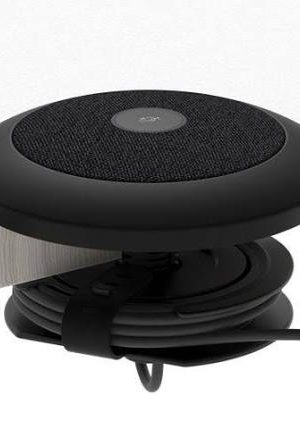
Logitech 952-000002 Rally Mic Pod Mount – Graphite
The Logitech 952-000002 Mic Pod Mount is a table-mounting accessory designed specifically for the Logitech Rally Mic Pod. It provides a clean, secure installation while supporting tables from 20–50 mm thick and grommet holes from 25–65 mm in diameter. The kit includes a cable spool, mounting hardware, cable wrap, and documentation for an organized professional conference-room setup.
Quick View